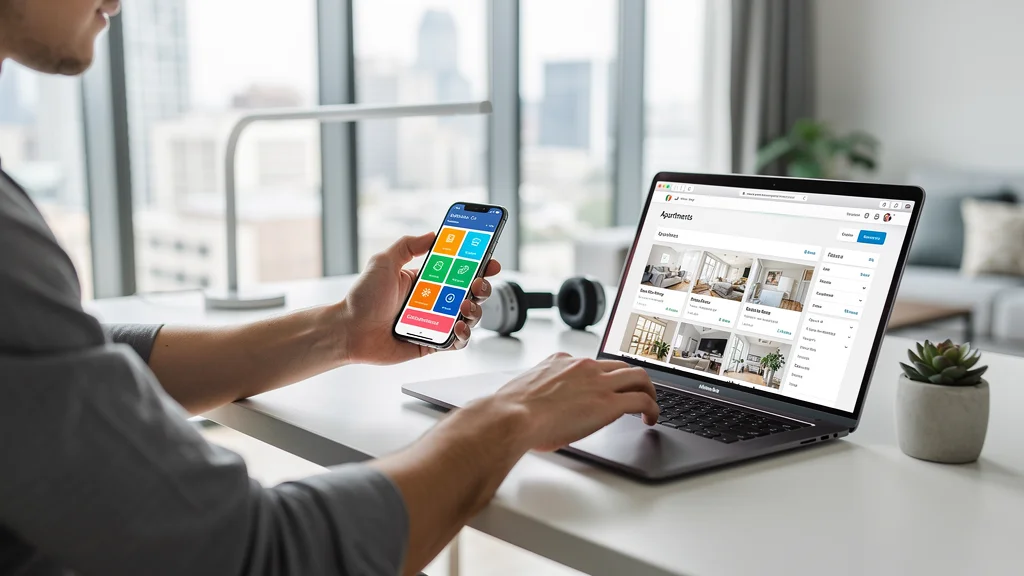
Best Apps and Tools for Renters in 2025
The rental process is now digital end to end, from touring to paying rent to requesting repairs. The right tools can save you time, reduce missed deadlines, and make documentation easier when something goes wrong.
This guide is general information, not legal or financial advice. It highlights practical apps and workflows that help renters compare options, track costs, and keep a clean paper trail.
Key takeaways
- Best rental apps save hours during apartment hunting
- Digital rent payment apps eliminate checks and save time
- Maintenance request tools create a clear paper trail
- Free vs. paid tiers - know what you actually need
- The right combo can save a few hundred dollars a year
Why Renters Need Digital Tools in 2025
The rental market has gone digital. From apartment hunting to paying rent to requesting repairs, apps and digital tools have transformed the renting experience. The right tools can save you time, money, and stress — but with hundreds of options, which ones are actually worth using? For first-time renters, knowing which tools to use can simplify your entire rental journey.
This guide reviews the best apps and tools for renters across every category, with honest comparisons, pricing details, and recommendations for different situations.

Best Apartment Hunting Apps
1. Zillow Rental Manager
Cost: Free
Best for: Comprehensive search with most listings
Key features:
- Largest rental database in most markets
- 3D virtual tours and floor plans
- Price history and market trends
- Save searches and get instant alerts
- Apply directly through the app
Verdict: Start here. Most comprehensive free option with the best search filters.
2. Apartments.com
Cost: Free
Best for: Large apartment complexes
Key features:
- Strong relationships with large property managers
- Detailed amenity filters
- Move-in specials and deals
- Property comparison tool
Verdict: Great supplement to Zillow, especially for newer complexes.
3. Zumper
Cost: Free
Best for: Urban markets and verified listings
Key features:
- Verified listings reduce scams
- Built-in messaging with landlords
- Rent reports and market data
- Schedule tours directly
Verdict: Excellent user experience, particularly strong in major cities.
4. PadMapper
Cost: Free
Best for: Map-based searching
Key features:
- Visual map interface
- Aggregates Craigslist and other sources
- Commute time calculator
- Pet-friendly filters
Verdict: If you search by neighborhood/commute, this is invaluable.
Best Rent Payment Apps
1. Zelle
Cost: Free
Best for: Instant, free bank transfers
Why it's great: No fees, instant transfer, works with most banks, automatic receipts.
Caution: No built-in rent tracking - save confirmation emails.
2. Venmo/PayPal
Cost: Free (bank account), 3% (credit card)
Best for: Splitting rent with roommates
Why it's great: Easy split payments, clear transaction history, widely accepted.
3. RentRedi
Cost: Free for tenants (landlord pays)
Best for: Building credit with rent payments
Why it's great: Reports to credit bureaus, maintenance requests, lease management.
Best Maintenance & Communication Apps
1. BuildingLink (if your building uses it)
Cost: Free for residents
Features: Maintenance requests, package notifications, amenity booking, visitor access.
2. Email + Photo Documentation (DIY Solution)
Cost: Free
Best practice: Email all requests with photos, creates automatic paper trail with timestamps.
Best Budgeting & Financial Tools
Before exploring third-party apps, start with our free rent budget calculator to determine how much rent you can afford. Then use these apps to track your spending:
Rent Budget Calculator
Get a budget range based on your income and monthly expenses
Calculate my budgetFree. No signup required. Takes about two minutes.
1. Mint (by Intuit)
Cost: Free
Best for: Comprehensive budget tracking
Features: Automatic expense categorization, rent budget tracking, bill reminders, credit score monitoring.
2. YNAB (You Need A Budget)
Cost: $14.99/month (free 34-day trial)
Best for: Serious budgeters
Why pay for it: Zero-based budgeting methodology, excellent for controlling rent percentage of income.

Best Moving & Organization Apps
1. Sortly
Cost: Free (basic), $9/month (premium)
Features: Photo-based inventory, QR codes for boxes, moving checklist.
2. TaskRabbit
Cost: Pay for services ($30-100/hour typical)
Best for: Hiring moving help, furniture assembly, cleaning.
Our Complete App Stack Recommendations
RentingExplained.com Free Tools (Start Here)
Before downloading third-party apps, use our free tools built specifically for renters:
- Rent Budget Calculator - Determine affordable rent based on your income
- Hidden Fees Estimator - Calculate true rental costs including all fees
- Lease Red Flag Scanner - Work through lease clauses in plain language
Combine these with strategies to save money on rent for maximum impact.
The Essential (Free) Stack
- Apartment hunting: Zillow + Zumper
- Rent payment: Zelle or Venmo
- Budgeting: Mint
- Communication: Email with photos
- Storage: Google Drive for lease/documents
Total cost: $0/month
The Premium (Worth Paying For) Stack
- All of the above, plus:
- RentRedi (credit building)
- YNAB ($14.99/month)
- Premium renters insurance bundled app
Total cost: ~$15-25/month
Value: Credit score boost worth hundreds in better rates, budget control saves $100+/month.
FAQ
Do I really need multiple apartment hunting apps?
Yes. No single app has every listing. Using 2-3 apps (Zillow, Apartments.com, Zumper) ensures you don't miss hidden gems, and you can cross-reference to spot scam listings.
Should I pay for rent payment apps?
Only if they report to credit bureaus (like RentRedi) or if your landlord requires it. Otherwise, free options like Zelle work perfectly. Never pay convenience fees for basic payments.
Are there apps to help with roommate finances?
Yes! Splitwise (free) is excellent for tracking shared expenses. Venmo/Zelle handle actual payments. Set up recurring payments for rent, manual splits for utilities/groceries.
Your app setup checklist
- Download Zillow, Zumper, and Apartments.com for apartment hunting
- Set up Zelle or Venmo with your bank for rent payments
- Install Mint or YNAB for budget tracking
- Use Google Drive or Dropbox for storing lease and important documents
- Save landlord contact in phone with "LANDLORD" label for easy reference
- Set calendar reminders for rent due date (2 days before)
- Take photos of unit condition and save to cloud storage
Remember: The best app is the one you'll actually use. Start with the free essentials, then add paid tools only if they provide clear value. The right stack saves you time, money, and stress throughout your entire renting journey.
Next steps
Pick the smallest stack you will actually use, then expand only if the upgrade saves time or money. A short monthly review keeps your tools useful and your costs visible.
- Set your rent range with the Rent Budget Checker.
- Track add-ons with the Hidden Fees Estimator.
- Build a smart move-in plan with the move-in cost guide.